
How-to Guides
How to Let AI Help Operate Your Content
gcms does not call an AI API itself. It gives AI tools a controlled interface: key, OpenAPI, assistant guide and scoped write access.
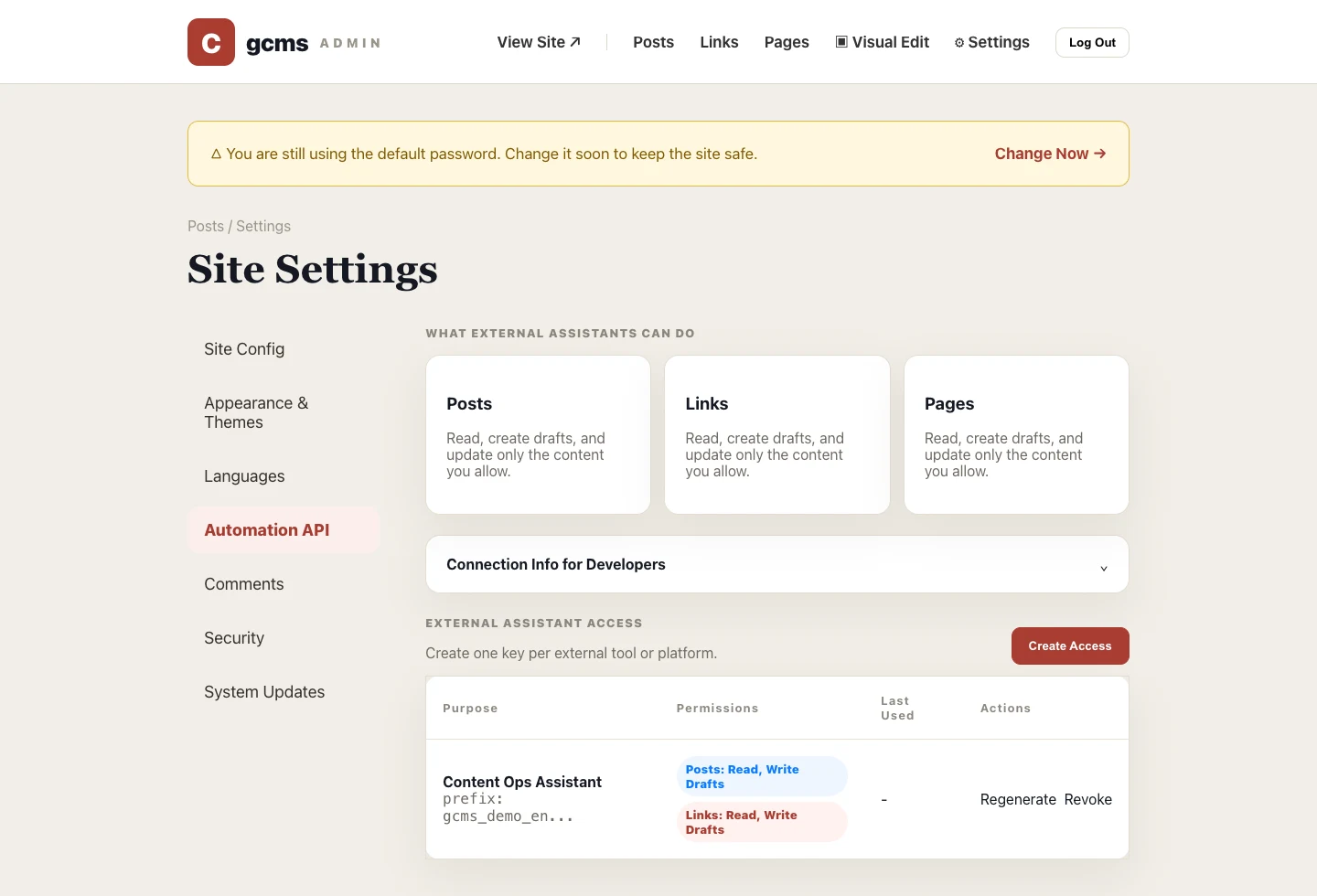
Letting AI help with content operations does not mean handing over your admin account. gcms exposes a limited interface whose reach depends on the permissions you grant, and each external tool gets its own access key.
Step 1: Create one key per tool
Go to Settings → Automation API and create an access key. Use a clear name, such as Content Assistant or SEO Draft Assistant. If you stop using that tool, revoke only that key.
Step 2: Grant only necessary scopes
Start with read and draft-write access. Do not grant publish permission by default. Let AI create drafts, improve titles, excerpts, keywords and structure; keep final review and publish in the admin.
Step 3: Download the AI package
The full key is shown once. After creating it, download the dedicated AI package. It includes OpenAPI, assistant instructions, a helper script and a .env holding the live key for this access rule. Treat the package as the key itself: keep it out of repositories, chats and tickets, and revoke the key in the admin if it ever leaks. When you give that package to Codex, Claude Code, Cursor or another compatible tool, the key travels with .env into the model service behind it, so keep this rule's scope no wider than the task needs — the Skill guide explains why.
Step 4: State the boundaries
A good instruction is explicit: list posts first, find the target ID, only edit drafts, improve SEO descriptions, never delete content, and summarize changes for review before publishing. Spell out the don'ts as carefully as the tasks.
Step 5: Clean up access regularly
Revoke a key when a project ends, a member leaves, or you suspect exposure. For splitting permissions across tools and spotting idle keys, see the last section of the Skill guide.